
Ergonomic Office Solutions in Jaipur
In today's digital age, many people in Jaipur spend long hours working at desks, leading to an increased risk of musculoskeletal problems. Ergonomic office products are designed to make your workplace more comfortable and body-friendly.
These products are designed according to physiotherapy principles to provide better support for your spine, neck, shoulders, and wrists. At Modern Physio, we only recommend ergonomic products that have been selected by Dr. Surabhi Bansal based on her 14+ years of experience.
If you work in an office, work from home, or spend extended periods sitting, our ergonomic products can help you maintain healthy posture and prevent pain.
Benefits
Improved posture and alignment
Reduced pain and strain
Increased productivity
Prevention of injuries
Long-term comfortable work environment
Decreased fatigue
Types of Ergonomic Office Solutions
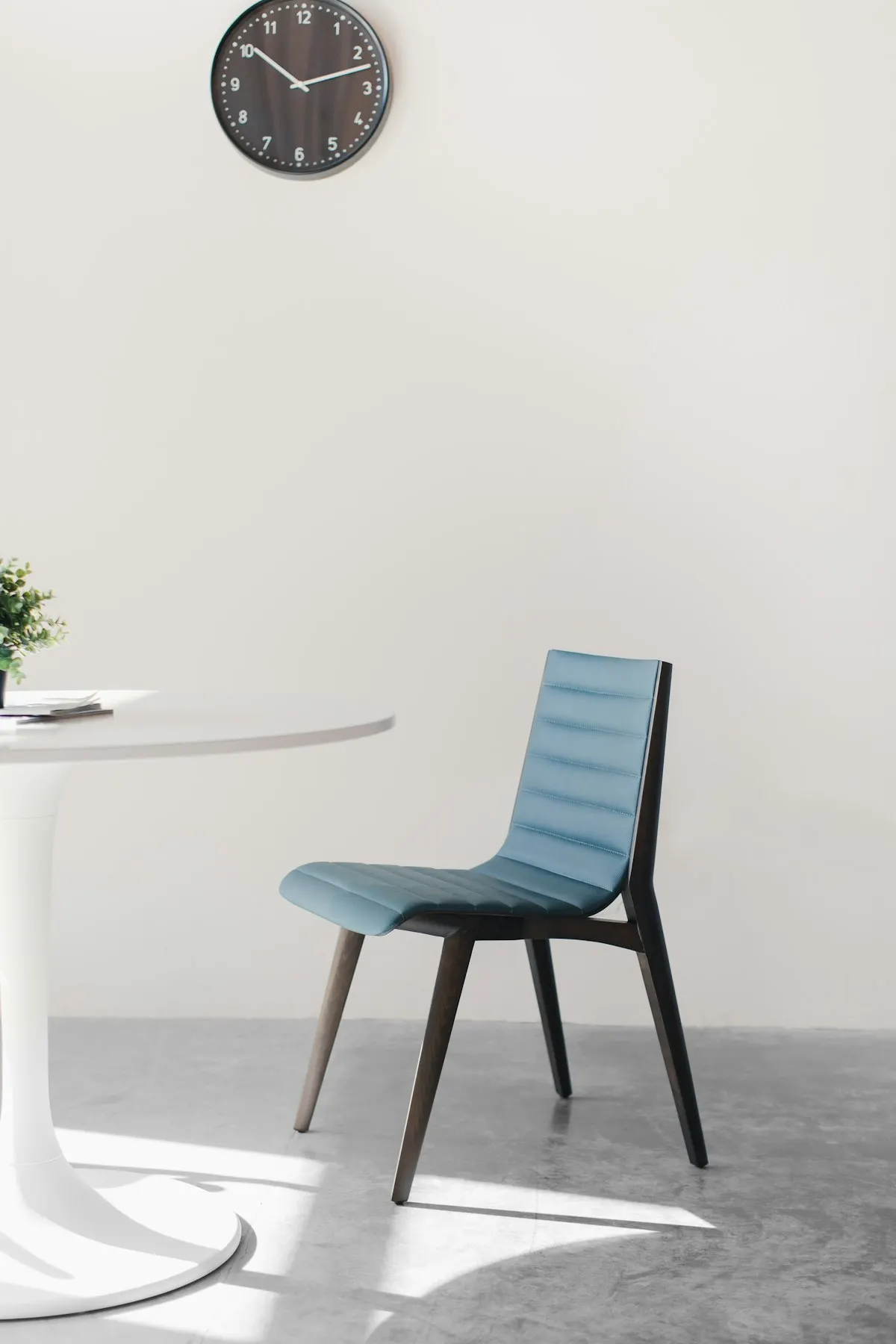
Ergonomic Office Chairs
Specialized chairs with lumbar support, adjustable armrests, and neck support designed to promote proper posture during long periods of sitting.
Benefits:
- Proper lumbar support
- Adjustable for individual body types
- Reduced back and neck strain
Standing Desks & Height-Adjustable Workstations
Convertible desks that allow alternating between sitting and standing positions to reduce the negative effects of prolonged sitting.
Benefits:
- Reduced sitting time
- Improved energy levels
- Better posture transitions

Ergonomic Keyboard & Mouse Sets
Input devices designed to keep wrists and arms in a more natural position, reducing strain and preventing repetitive stress injuries.
Benefits:
- Reduced wrist strain
- Prevention of carpal tunnel syndrome
- Natural hand positioning

Monitor Stands & Arms
Adjustable supports that position screens at eye level to prevent neck strain and promote better posture during computer work.
Benefits:
- Proper eye level positioning
- Reduced neck strain
- Flexible positioning
Footrests & Anti-Fatigue Mats
Supportive products for feet and legs that improve circulation and reduce discomfort during extended periods of sitting or standing.
Benefits:
- Improved leg circulation
- Reduced lower back strain
- Better sitting posture
Document Holders & Phone Stands
Accessories that position documents and devices at eye level, reducing neck movement and strain during reading and reference tasks.
Benefits:
- Reduced neck movement
- Better document visibility
- Decreased eye strain

Wrist Rests & Supports
Cushioned supports that maintain neutral wrist position during typing and mouse use, helping prevent repetitive strain injuries.
Benefits:
- Neutral wrist positioning
- Prevention of carpal tunnel
- Reduced forearm fatigue
Ergonomic office equipment works best when it is chosen for a specific problem, not bought off a bestseller list. At Modern Physio in Vaishali Nagar, Jaipur, our physiotherapists first assess how you actually sit, type, and look at your screen, and then recommend the one or two pieces of equipment(an ergonomic chair, a standing desk, a keyboard and mouse set, a monitor stand, a footrest, or a wrist support) that address what your assessment found.
This matters because most desk-related pain has more than one cause. A monitor set too low, a chair without lumbar support, and weak postural muscles can all contribute to the same neck ache. Equipment can fix the first two; only exercise fixes the third. That is why we treat ergonomic products as a complement to treatment and strengthening, never a replacement for them. A perfect workstation will not resolve pain that is being driven by deconditioned muscles, and the strongest neck will still protest at a laptop used flat on a dining table for nine hours a day.
Dr. Surabhi Bansal (BPT, MPT Ortho, 14+ years of experience) and her team see a steady stream of IT professionals, bankers, students, and work-from-home patients across Jaipur with desk-related neck, back, and wrist complaints. The guidance on this page reflects how we match equipment to the person in clinic, and when we tell patients to save their money because equipment is not what they need.
Who This Helps
People who work six or more hours a day at a desk or laptop and have recurring neck, upper-back, or lower-back ache that eases on holidays and returns with work.
Patients already in physiotherapy for neck pain, back pain, or posture-related problems, where a workstation change protects the gains made in treatment.
People with wrist or forearm symptoms from heavy typing and mouse use, where a keyboard, mouse, or wrist support can reduce daily strain while strengthening progresses.
Work-from-home professionals in Jaipur whose "office" is a dining chair and a laptop, often the single biggest ergonomic problem we see.
Shorter or taller users whose standard furniture leaves their feet unsupported or their screen far below eye level; footrests and monitor stands are simple, inexpensive fixes.
People without current pain who want a sensible setup before problems start: prevention is a legitimate reason to invest in a good chair.
What a Session Looks Like
- 1
Tell us the problem, not the product. The visit starts with your symptoms, where it hurts, when in the workday it starts, what your current desk, chair, and screen look like. Photos of your actual workstation help a lot; bring them if you can.
- 2
Postural and movement assessment. The physiotherapist examines your sitting posture, neck and shoulder movement, and the strength and endurance of the muscles that hold you upright, and screens for anything that needs treatment rather than equipment.
- 3
Matching equipment to findings. Based on the assessment, we recommend specific items, for example, a chair with adjustable lumbar support for a flattened sitting posture, a monitor stand for a forward-head position, or a footrest for a shorter user whose feet dangle. We tell you plainly which products you do not need.
- 4
Sizing and adjustment demonstration. Using the products at the clinic, we set the chair height, lumbar depth, armrest position, screen height, and keyboard distance for your body, and teach you how to reproduce that setup at home or office.
- 5
Exercise prescription alongside. You leave with a short strengthening and movement-break programme, typically a few minutes every hour, because the equipment protects your posture only while muscles do the rest of the work.
- 6
Follow-up and re-check. At review appointments we ask how the setup is working, re-examine the areas that were symptomatic, and adjust either the equipment settings or the exercise programme. If symptoms are not shifting, we investigate further rather than selling you more accessories.
Safety & Contraindications
This treatment is not suitable for everyone. Tell your physiotherapist about your full medical history: it is screened for at your first assessment.
- •Ergonomic equipment is low-risk, but it is not treatment. If you have pain that is worsening, waking you at night, or has lasted more than a few weeks, get assessed before spending on equipment, a chair cannot treat an underlying condition.
- •New numbness, tingling, or weakness in an arm or hand is not an ergonomics problem until proven otherwise. See a clinician first; a wrist rest is not the answer to nerve compression symptoms that are progressing.
- •Standing desks are not automatically better. Prolonged static standing can aggravate low-back pain, varicose veins, and foot problems. The benefit comes from alternating positions, and people with these issues should get dosage guidance before switching.
- •A lumbar cushion or posture accessory that increases pain after a fair trial should be stopped and reviewed: discomfort that worsens with a support usually means the support does not match the problem.
- •Do not use equipment to push through pain. If a new setup lets you work longer but your symptoms are climbing, the setup is masking the problem, not solving it.
Expected Timeline
Comfort changes from a corrected setup are usually felt quickly: many patients notice less end-of-day neck or back heaviness within the first one to two weeks of using a properly adjusted chair and screen height. Wrist and forearm symptoms from typing tend to respond over a few weeks once the load on the tendons drops.
Pain that has been present for months rarely disappears with equipment alone, and this is where the strengthening programme carries the load. Postural muscles typically take six to twelve weeks of consistent exercise to build meaningful endurance. Your physiotherapist will reassess at intervals, commonly around two to four weeks, and progress the programme as you improve.
Expect an adjustment period with new equipment. An ergonomic chair or split keyboard often feels strange for the first week; that is normal. What is not normal is steadily increasing pain with use, report that at your follow-up so we can change the plan rather than letting you persist with something that does not suit you.
Evidence Base
UK workplace-health guidance recommends assessing and adjusting display screen workstations(screen height, chair support, keyboard and mouse position, and regular breaks) to reduce the risk of neck, back, and upper-limb problems in desk workers.
Health and Safety Executive (UK), Display screen equipment (DSE) guidanceThe Chartered Society of Physiotherapy advises that staying active and breaking up prolonged sitting during the working day matters for musculoskeletal health, no single piece of furniture substitutes for regular movement.
Chartered Society of Physiotherapy: Staying healthy at workPhysiotherapy guidance for neck pain emphasises exercise, gradual return to normal activity, and workplace adjustments as complementary measures, supporting the equipment-plus-strengthening approach rather than equipment alone.
Chartered Society of Physiotherapy, Neck painNICE guidance for low back pain recommends exercise as a core treatment and encourages people to continue normal activities: ergonomic changes support this but do not replace active rehabilitation.
NICE guideline NG59, Low back pain and sciatica in over 16sThe WHO identifies musculoskeletal conditions, including neck and back pain, as leading contributors to disability worldwide, with work-related factors among the recognised contributors, which is why workstation review is part of good musculoskeletal care.
World Health Organization, Musculoskeletal health fact sheetFrequently Asked Questions
Should I see a doctor or a physiotherapist before buying an ergonomic chair?
For desk-related aches, a physiotherapist is usually the right first stop: we assess posture, movement, and muscle endurance, and can tell you whether equipment, exercise, or both will help. If your pain comes with red flags(numbness, weakness, night pain, fever, or a history of serious illness) Dr. Surabhi Bansal will refer you for medical review first. Either way, an assessment before purchase prevents expensive guesswork.
Will an ergonomic chair fix my back pain by itself?
Usually not. A good chair removes one aggravating factor, which often reduces day-to-day discomfort, but back pain that has persisted for weeks or months almost always needs strengthening and movement retraining as well. In our experience the chair-plus-exercise combination works; the chair-alone approach disappoints.
Are standing desks worth it, or is it a fad?
They are useful for the right person used the right way. The benefit is in alternating between sitting and standing rather than standing all day: static standing brings its own problems for the low back and feet. If you have existing back, vein, or foot issues, ask us for a sit-stand schedule before you switch.
My wrists hurt when typing. Do I need an ergonomic keyboard or a wrist support?
It depends on what is driving the pain. A wrist rest helps if your wrists are extended upward while typing; an ergonomic keyboard helps if your forearms are rotated flat against their natural angle; and neither helps much if the real issue is nerve compression or tendon overload that needs treatment. New or worsening tingling and numbness should be assessed before you buy anything.
What height should my monitor be?
As a rule of thumb, the top of the screen should sit at or slightly below eye level, about an arm’s length away, so your neck stays neutral. Laptop users cannot achieve this without a stand and separate keyboard, which is why the laptop-flat-on-table setup is behind so much of the neck pain we see in Jaipur.
Can you help me set up my work-from-home desk?
Yes. Bring photos or measurements of your space to your appointment and we will design the setup with you: chair settings, screen height, keyboard position, lighting position, and a movement-break schedule. Many WFH problems are solved with adjustment and one or two inexpensive items rather than a full furniture change.
How much do ergonomic products cost, and do I need an appointment to buy them?
Prices vary widely by product and brand, and stock changes, so please call or WhatsApp us at +91 82334 02489 for current fees and availability. You can buy without a consultation, but we recommend at least a brief assessment first so the product matches your problem: it usually saves money, not costs more.
How long until a new setup reduces my pain?
End-of-day discomfort often improves within one to two weeks of a corrected setup. Longstanding pain typically needs the accompanying exercise programme, which shows its effect over six to twelve weeks. If nothing has changed after a fair trial, come back: that tells us the workstation was not the main driver.
I have no pain yet. Is it worth investing in ergonomic equipment as prevention?
A reasonable basic setup(supportive chair, screen at eye level, feet supported) is sensible prevention for anyone at a desk six-plus hours a day. You do not need every accessory. If you want an evidence-based shortlist for your body and desk, a single assessment visit at our Vaishali Nagar clinic will give you one.
Conditions We Treat With This
Products That Support This
Medically Reviewed
This content was reviewed for medical accuracy by Dr. Surabhi Bansal, BPT, MPT (Ortho) with 14+ years of clinical experience.
At Modern Physio, all medical content undergoes a thorough review process to ensure accuracy and alignment with current physiotherapy standards. Our content is created to educate and should not replace professional medical advice. Learn more about our review process.
Ergonomic Office Solutions in Jaipur
Modern Physio in Jaipur offers a comprehensive range of high-quality ergonomic office solutions carefully selected by Dr. Surabhi Bansal to complement your treatment and support your recovery journey.
Our curated collection of ergonomic office solutions is designed to provide optimal therapeutic benefits for patients in Jaipur seeking professional-grade physiotherapy products for home use.
All products are available for purchase at our clinic in Jaipur, along with expert guidance from our physiotherapy team to ensure you select the most appropriate items for your specific condition and needs.